Independent node-based compositor

Built for the shot.

Comp is a cross-platform node compositor for VFX shot work. Build keys and mattes, roto and paint, track and matchmove, manage EXR passes and channels, shape animation in the Curve Editor, and move into a compact 3D scene when the shot needs it.
Windows · macOS · Linux OpenEXR + OCIO RotoPaint + tracking Optional AI mattes
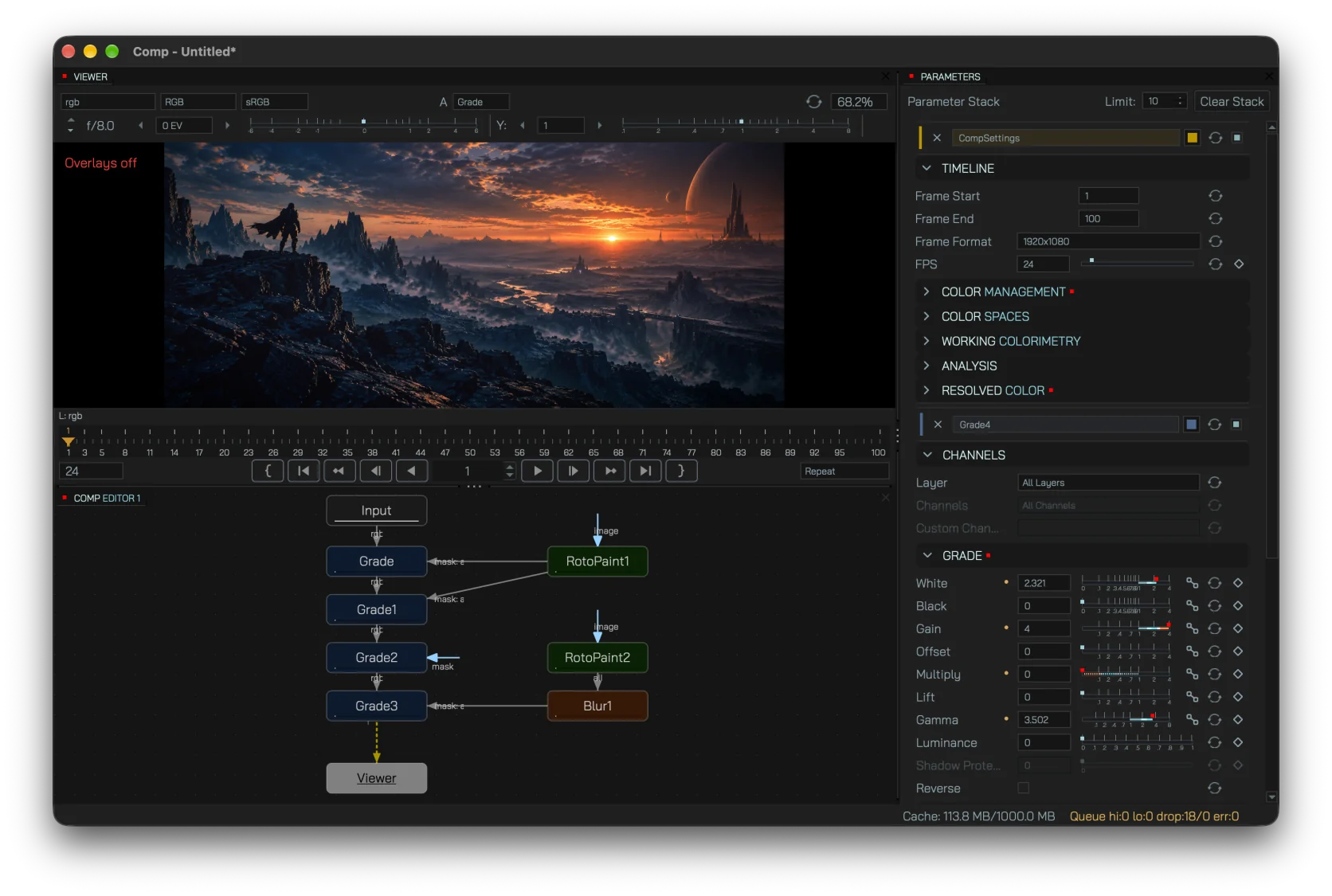
Comp workspace with viewer, node graph and parameter panels

A shot in context: viewer, node graph and parameters stay together in a docked workspace.

Shot workflow

The tools compositors reach for every day

Comp keeps the core jobs of a shot in one graph, with familiar VFX concepts instead of hiding them behind presets.

Keying & matte work

Pull screen and color keys, combine mattes, despill edges, choke or grow alpha, and clean contamination before the merge.

RotoPaint

Build animated spline shapes with per-point feather and width, then paint, clone and handle luma/chroma cleanup in the viewer.

Tracking & matchmove

Use point or planar tracking for stabilize, matchmove and screen-replacement work, with CornerPin data ready for downstream nodes.

Color, EXR & channels

Grade in a color-managed pipeline, switch AOVs, shuffle and rebuild channels, and keep premult / unpremult operations explicit.

Animation & curves

Keyframe parameters, shape timing in the curve editor, or layer procedural motion with expressions.

2D + compact 3D

Move from 2D comps into camera, card and scene nodes when a shot needs simple 3D placement, then render back into the image graph.

Node graph

Keep the comp readable while it grows

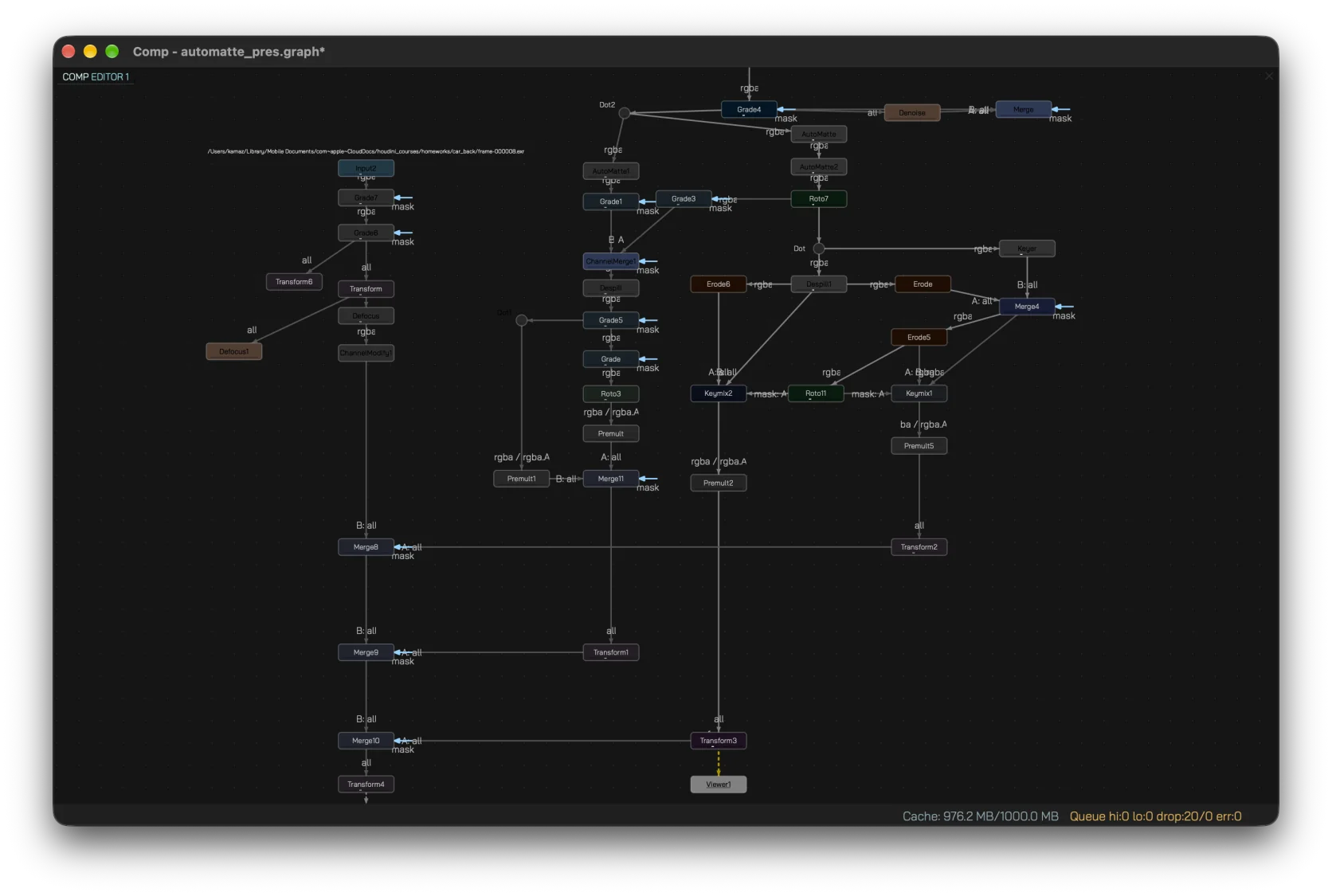
Build the shot as a graph of explicit operations. Search for nodes, branch and merge image streams, route long connections with dots, and keep references stable as the setup evolves.
  • Searchable node palette and graph context menus.
  • Paint to disconnect — a hotkey turns the cursor into a brush that cuts every connection it crosses.
  • Extract selected nodes out of the graph, with copy / paste as JSON.
  • Drop a node onto a connection to insert it into the stream.
  • Connection healing when a middle node is removed.
  • Undo / redo across graph, parameter and shape edits.
Comp node graph feeding the image viewer in a compositing workspace
Optional AI

AI assistance where a matte actually saves time

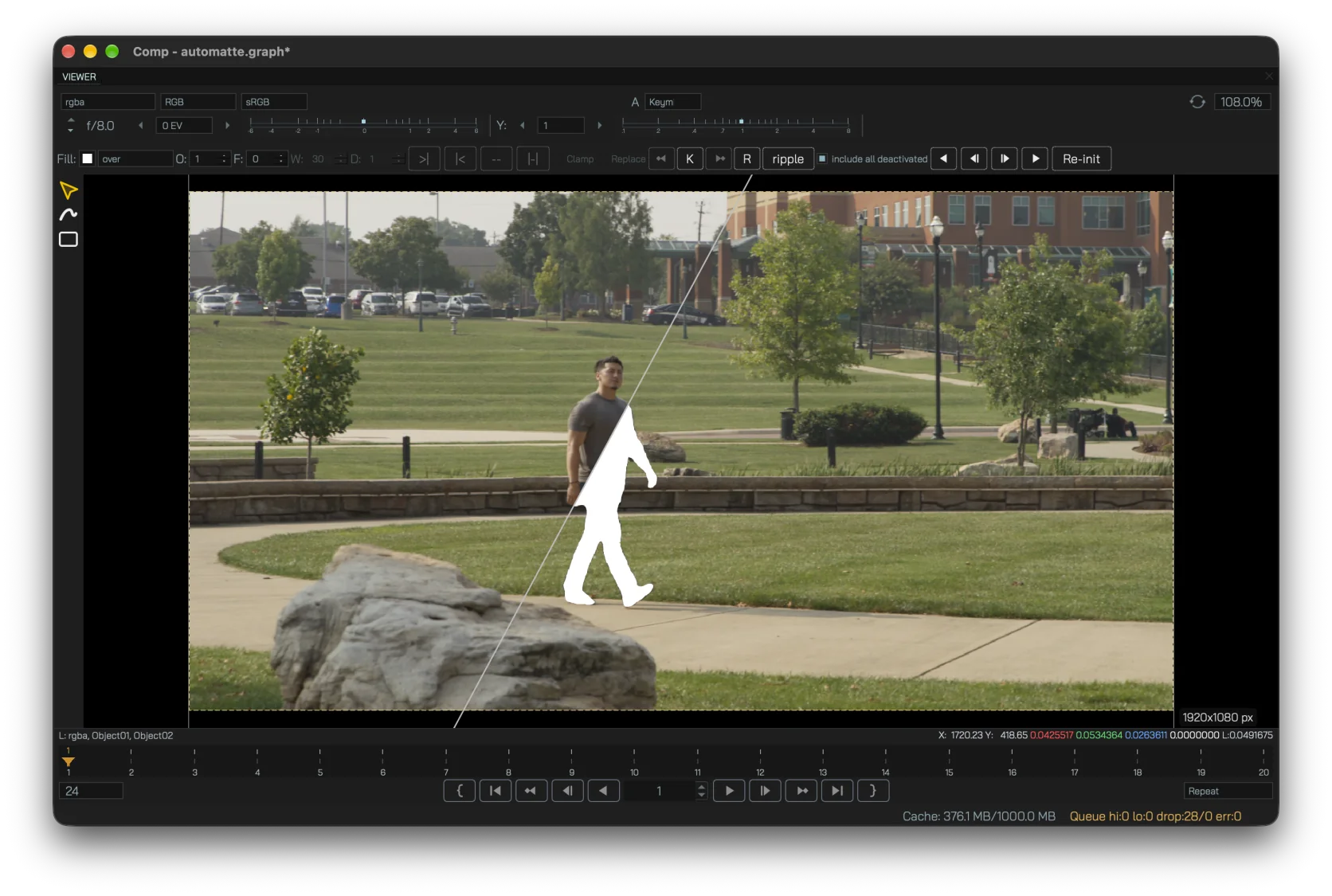
AI in Comp handles the routine tasks that eat up a compositor's time, such as extracting mattes from difficult subjects. AutoMatte creates a rough segmentation with SAM3, refines edge detail with MatAnyone2 and hands the result back to the graph as an ordinary matte. The AI features are integrated into the compositor and can be turned off; processing runs either in-process or as a separate AI Worker, including on a remote machine.
  • Integrated AI or separate Worker process, including a remote machine.
  • Prompt-box segmentation for the initial selection.
  • Matte refinement for finer edge detail.
  • Raster-to-shape handoff can turn a generated matte into editable roto geometry for further cleanup.
AutoMatte in the graph: a source plate and generated matte feeding the comp through the AutoMatte node
Current alpha

A real compositor, still early

The public build is under active development. Under the UI is a 32-bit floating-point image pipeline with OpenEXR layers and channels, smart per-node caching, multi-threaded rendering, a GPU-backed viewer and a separate headless render path.

45+built-in node types
11node categories
3desktop platforms
EXRAOV and channel workflows

Frequently asked questions

What is Comp for?
Comp is a shot-based node compositor for VFX and post-production work: keying, roto/paint, tracking, color correction, channel operations, image filtering, animation, lightweight 3D and final image output.
Is the AI Worker required?
No. AI features are integrated into the compositor and can be turned off, and the standard compositor runs without a Worker. AI processing can also be handled by a separate AI Worker application running on a server.
Does Comp support OFX or third-party plugins?
Not at the moment. The current alpha ships with its built-in node set; OFX support is planned for the future.
Which platforms are available?
Current public builds are available for Windows x64, macOS arm64 and Linux x86_64.
Can parameters be animated procedurally?
Yes. Keyframes can be edited in the curve editor, while expressions can reference time, project context and other parameters.
What is the project status?
Comp is an early public alpha and is under active development. It is suitable for testing and experimentation, but important work should be backed up and alpha limitations should be expected.

Take the current build for a spin

Download Comp for Windows, macOS or Linux, or browse the feature and node reference first.