 Comp
Comp
A shot-based compositing workflow
Comp brings the node graph, viewer, keying, roto/paint, tracking, channel work, animation and lightweight 3D into one docked desktop workspace. The feature set is built around the way a compositor moves through a shot.
Work the shot without losing context
The graph stays live beside the viewer and parameter panels, so you can build a setup, inspect the result and tune a node without bouncing between separate modes.
- Infinite node graph with searchable node creation, snapping and dots.
- Multiple viewers can live in the same graph.
- Pan, zoom, fit and playback for interactive shot review.
- GPU-backed display with experimental HDR output and a CPU fallback path where hardware acceleration is unavailable.
- Smart per-node caching and multi-threaded rendering keep repeated graph evaluation under control.
- Autosave and text-based node copy / paste make setups easier to recover, move and share.
- Undo / redo covers graph edits, parameter changes and shape work.
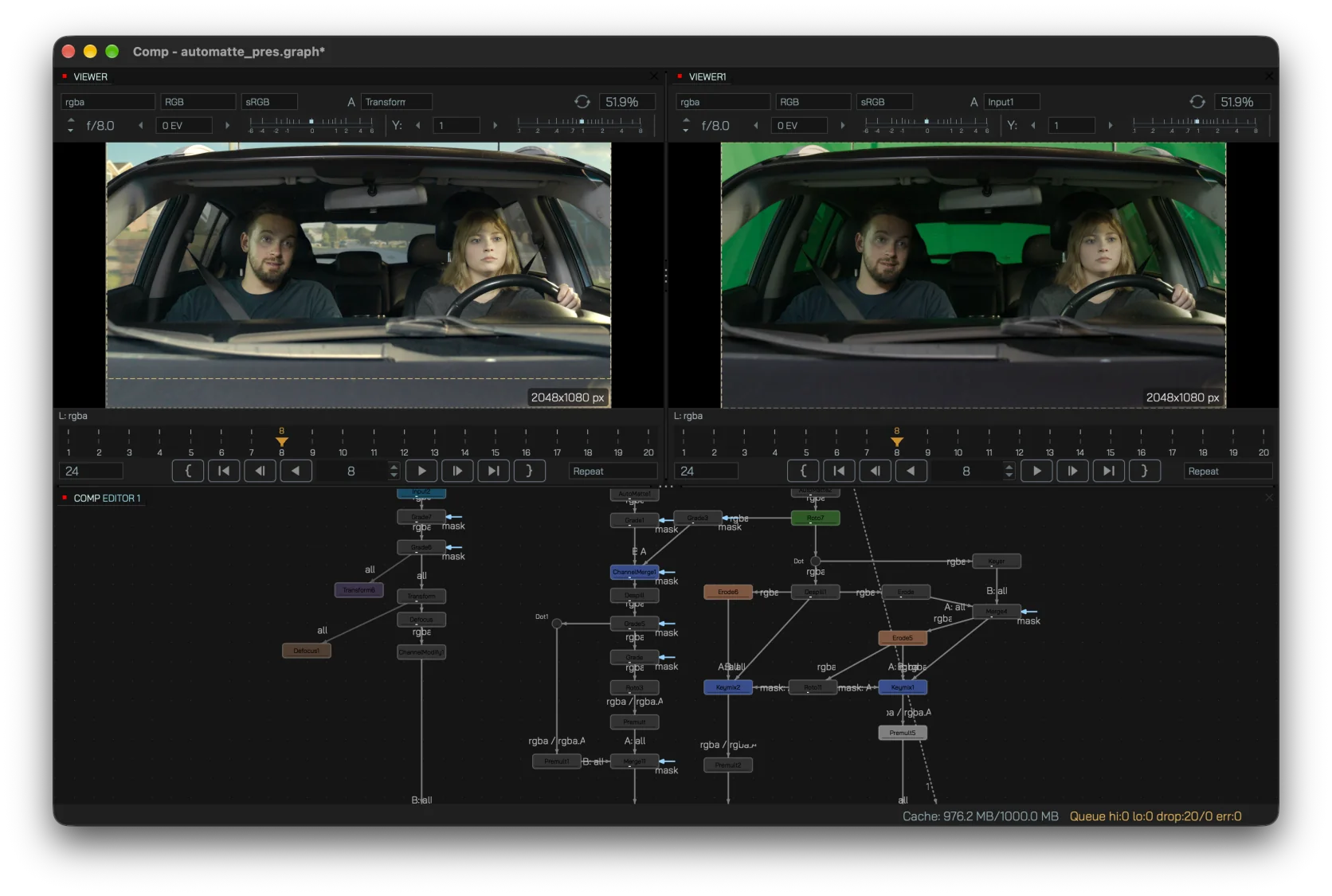
Pull the key, then work the edge
Keying is treated as a chain of explicit operations instead of a single black box. Build the matte, clean it, manage spill and edge color, then merge with the rest of the comp.
- Keyer and MultiKeyer for color-based matte extraction.
- ScreenColor + ScreenKey for image-based green / blue screen workflows.
- Despill with multiple methods, compensation and luminance preservation.
- ColourSmear and Erode for edge cleanup, choke / grow and fringe control.
- Keymix and channel tools for combining mattes downstream.
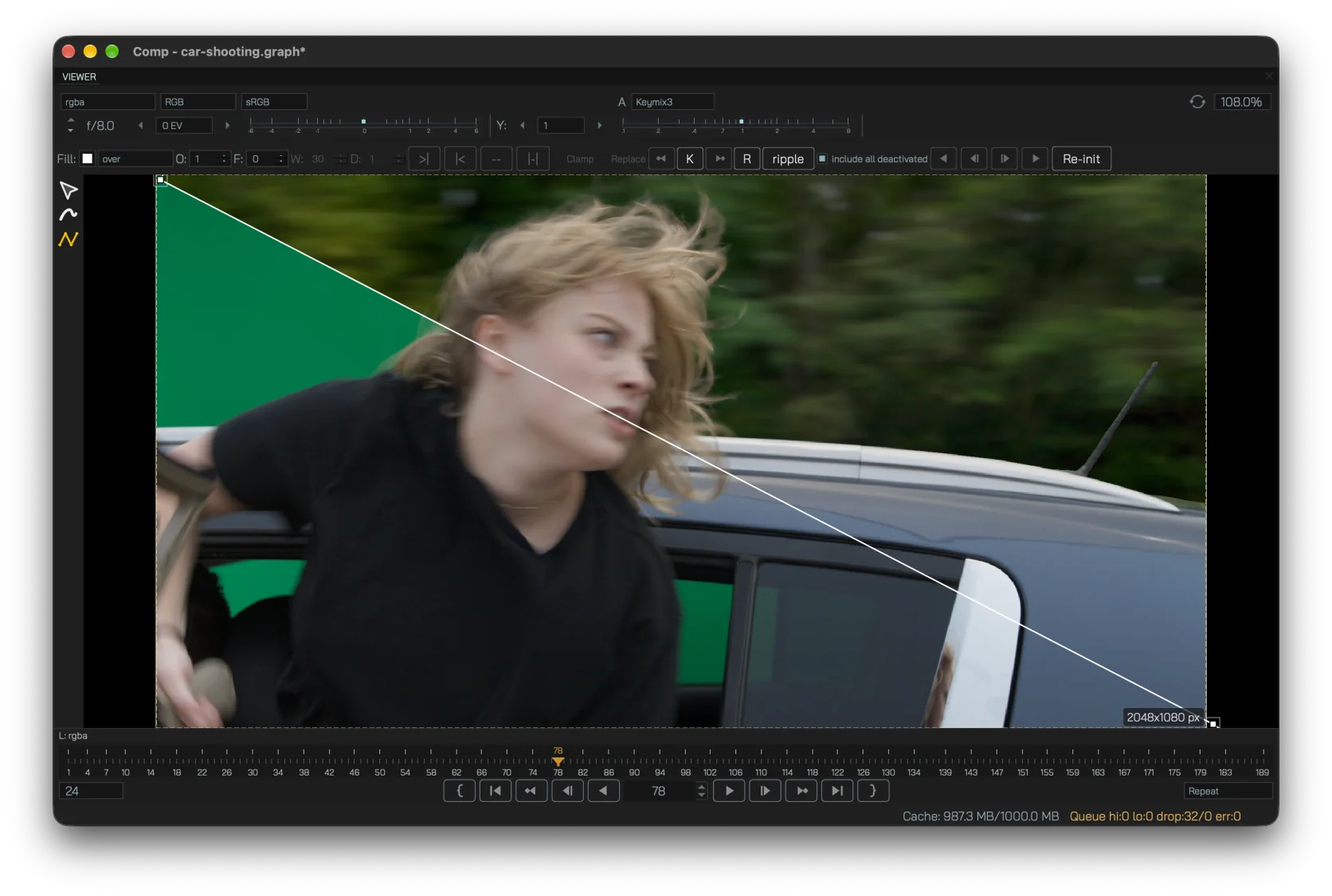
Shapes and cleanup live in the viewer
RotoPaint handles the hands-on work that never disappears from real shots: animated shapes, feathered edges and paint-style cleanup.
- Animated spline shapes with editable points and tangents.
- Per-point feather and width for local edge control.
- Paint and clone strokes alongside luma / chroma cleanup strokes.
- Lifetime controls let individual roto points appear or disappear over selected frame ranges.
- Raster mattes to editable shapes with two vectorization solvers, including a topology-preserving option for suitable shots.
- Experimental animated-shape conversion can use a matte sequence as a starting point for further manual roto work.
- Full undo / redo for shape and stroke editing.
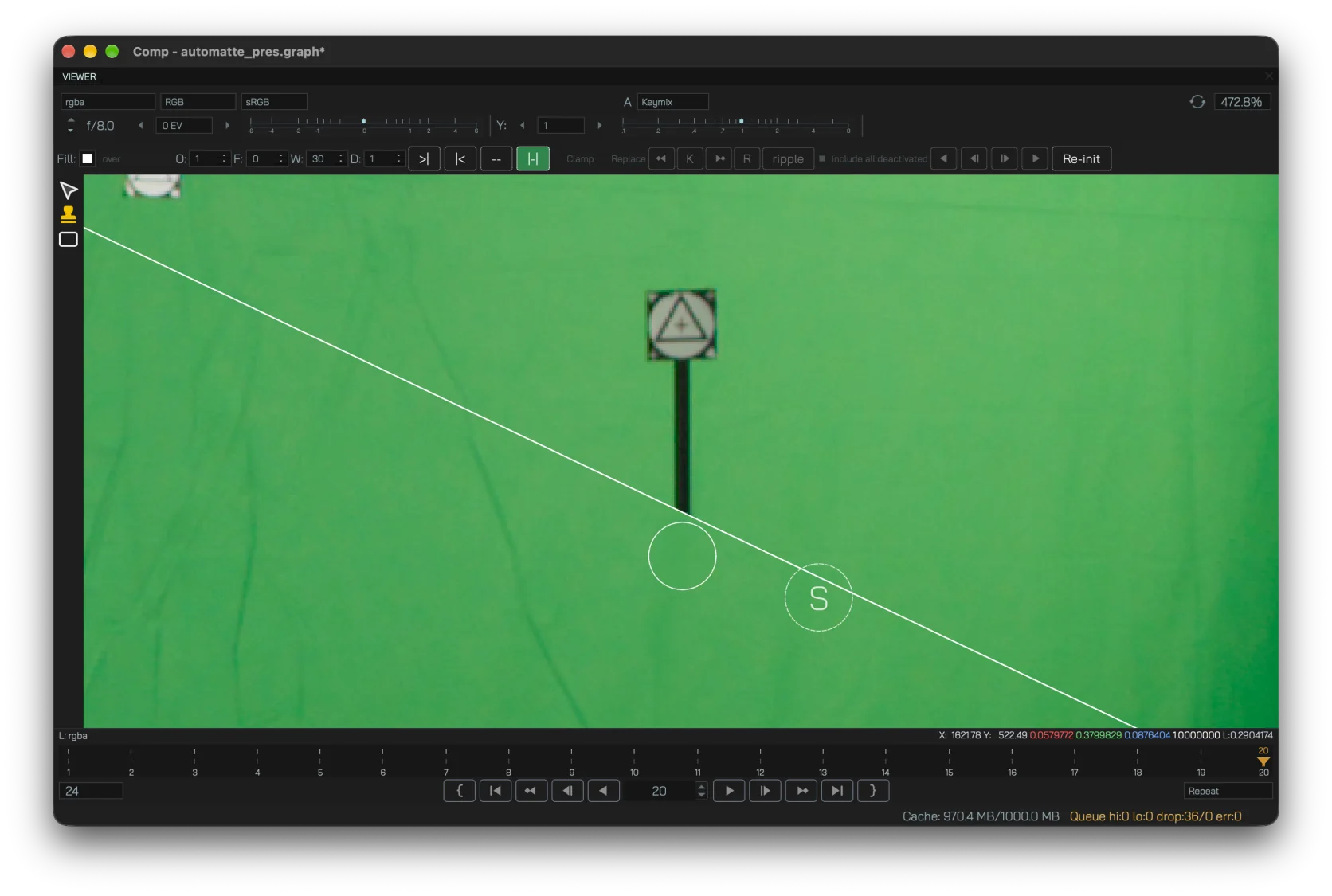
Track motion, then hand it to the comp
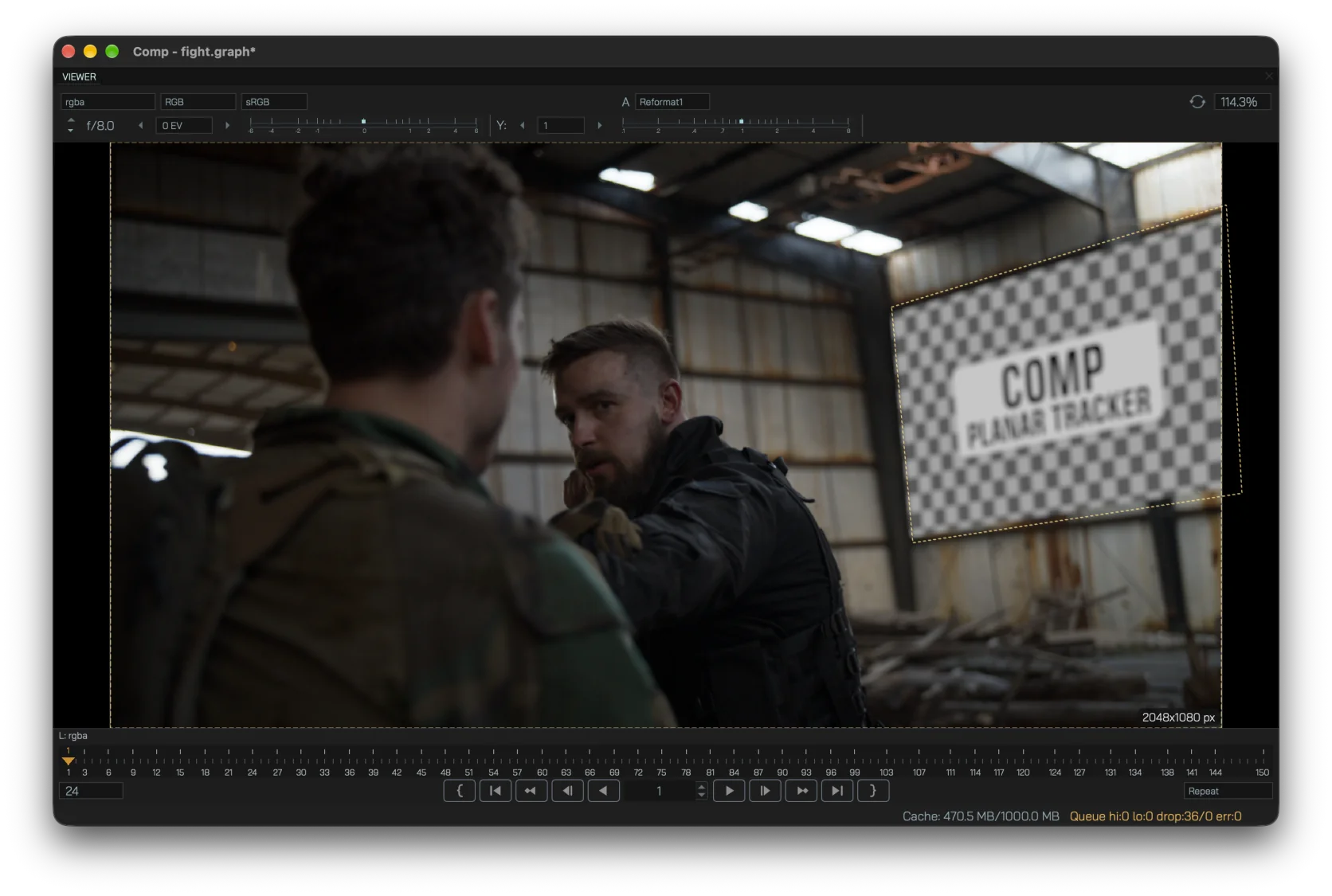
Point and planar trackers are there to solve practical shot problems: stabilizing a plate, matching foreground motion or driving a screen replacement through CornerPin data.
- Multi-point Tracker for pattern-based tracking, stabilize and matchmove.
- PlanarTracker for flat surfaces with confidence diagnostics and recovery tools.
- CornerPin export for four-corner perspective attachment.
- Tracked transforms stay in the same node workflow as the rest of the shot.
Keep CG passes and color transforms explicit
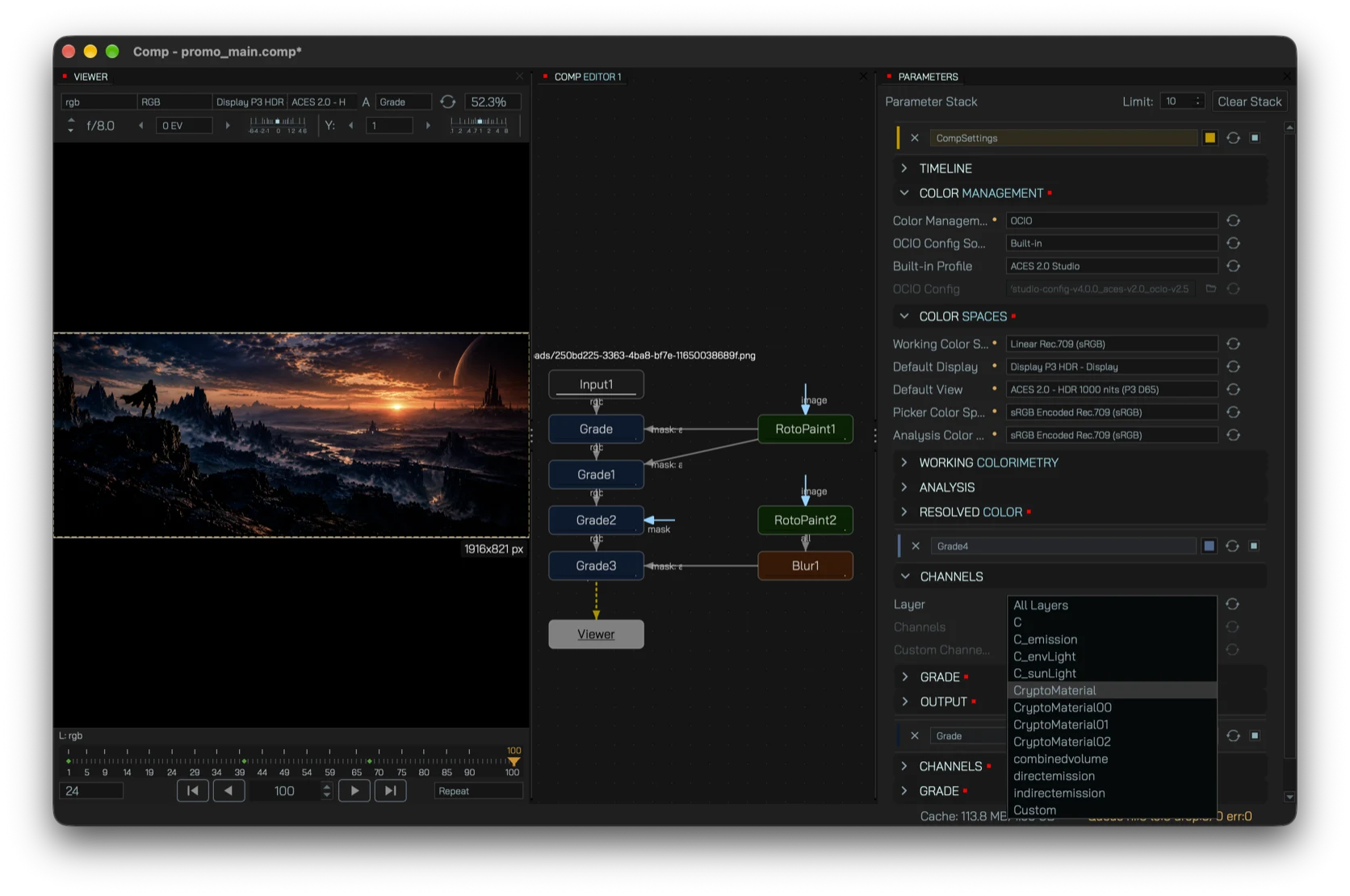
Comp is designed around image data a compositor actually receives: layered EXRs, multiple channels, linear operations and display transforms.
- OpenEXR input and output with multi-layer / AOV workflows.
- OpenColorIO color-space conversion and experimental color-managed / HDR display paths.
- Grade, Exposure and Saturation for core color correction.
- Shuffle, ChannelMerge and ChannelModify for channel routing and reconstruction.
- Premult / Unpremult kept as explicit graph operations.
Shape the motion, not just the keyframes
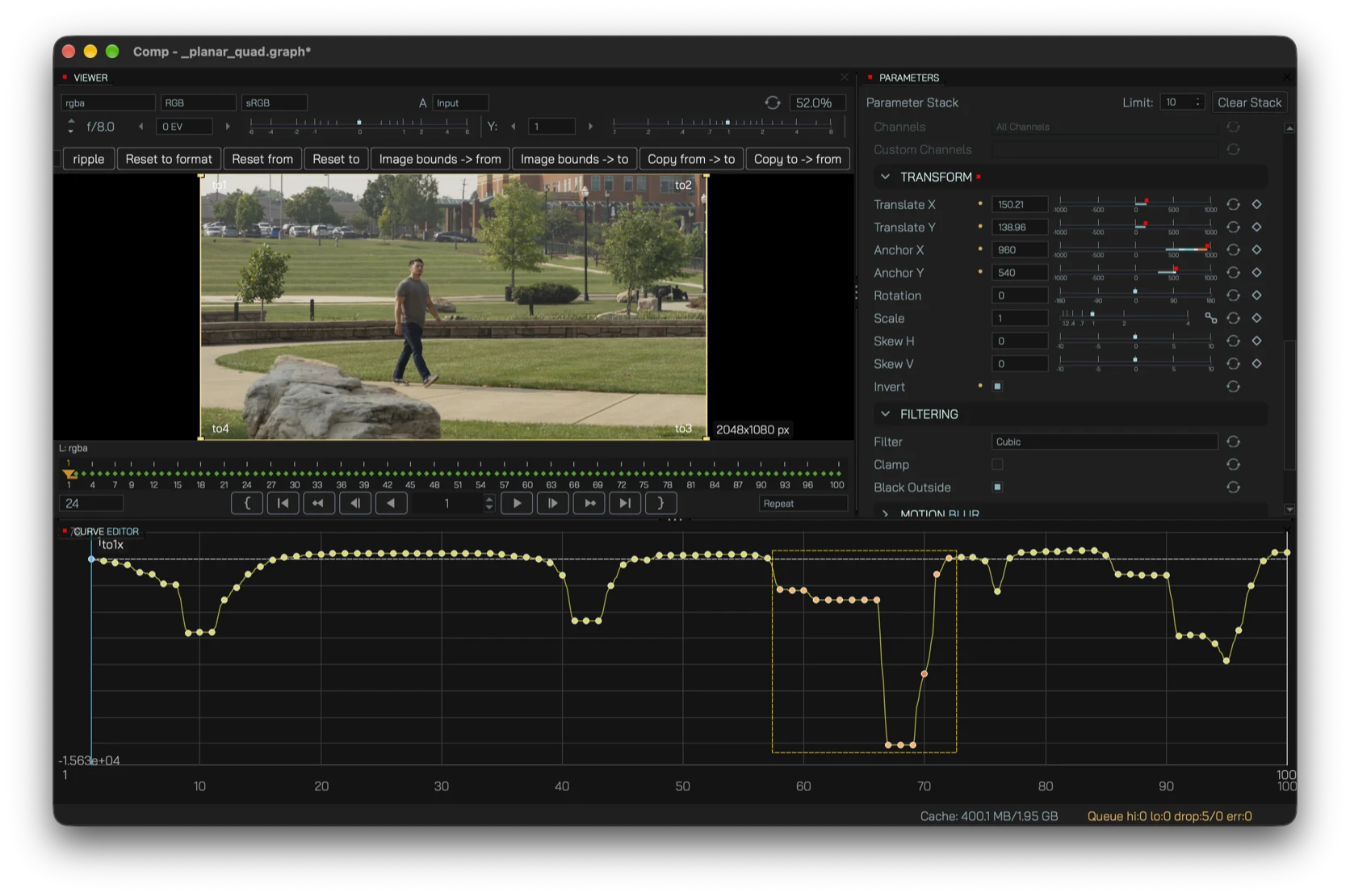
Animation is first-class in the comp. Set keys from the parameter panel, then tune timing, acceleration and overshoot in the curve editor.
- Curve Editor for precise value-over-time control, including fractional keyframes.
- Multi-key editing for adjusting several selected keys together.
- Auto-key while changing values as you scrub.
- Linear, smooth and constant interpolation modes.
- Expressions can layer procedural motion over existing animation.
Hold, blend and retime inside the graph
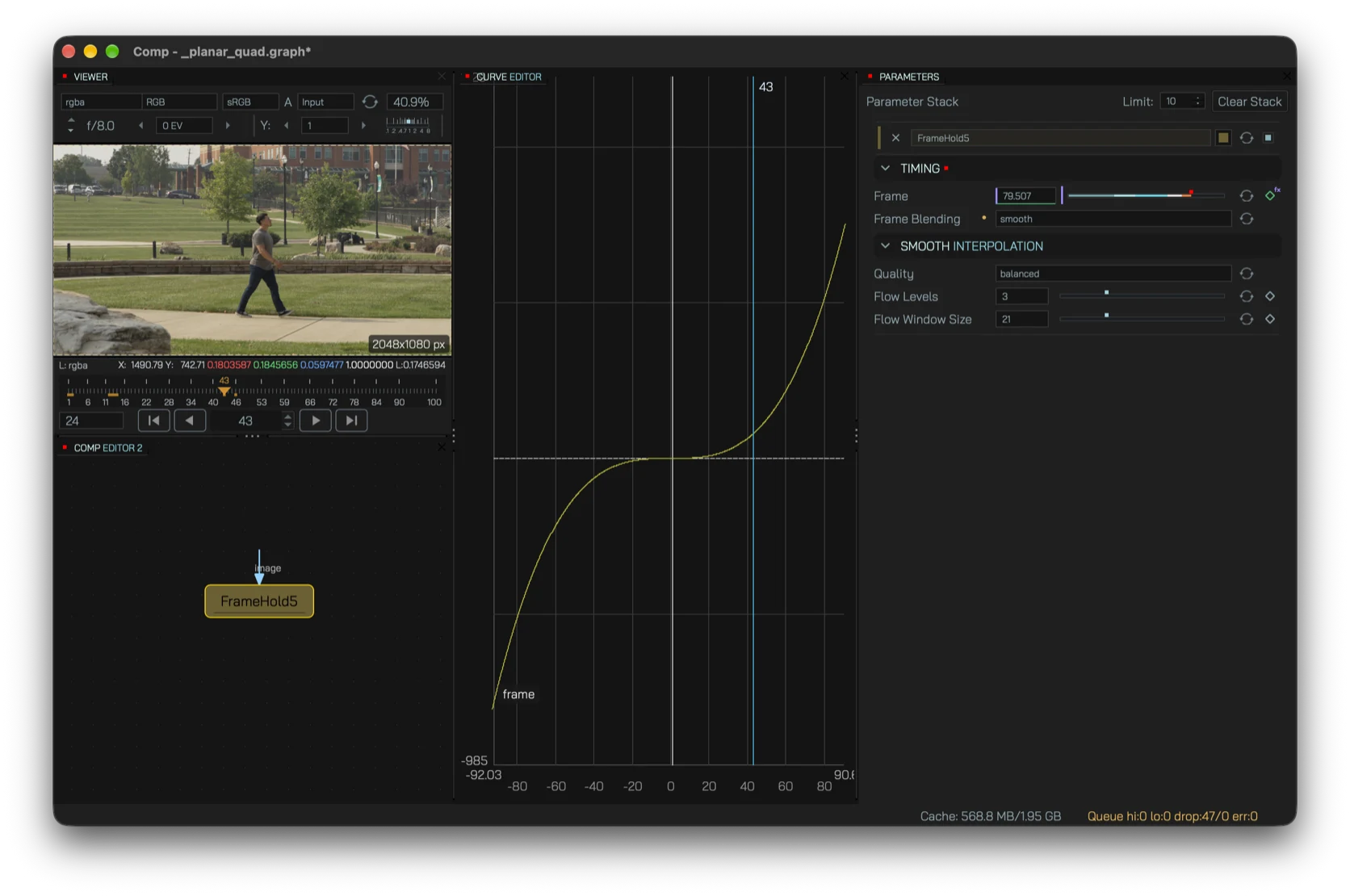
Time operations stay explicit in the node tree, whether you need a simple held frame, temporal averaging or motion-aware interpolation for a slower move.
- FrameHold can be driven by a fixed frame, keyframes or an expression.
- FrameBlend combines a selected temporal range with multiple blending modes.
- Frame-blended and optical-flow slow motion provide two approaches to retiming footage.
- Animation and expressions can drive time controls like any other parameter.
Use ML for the tedious first pass
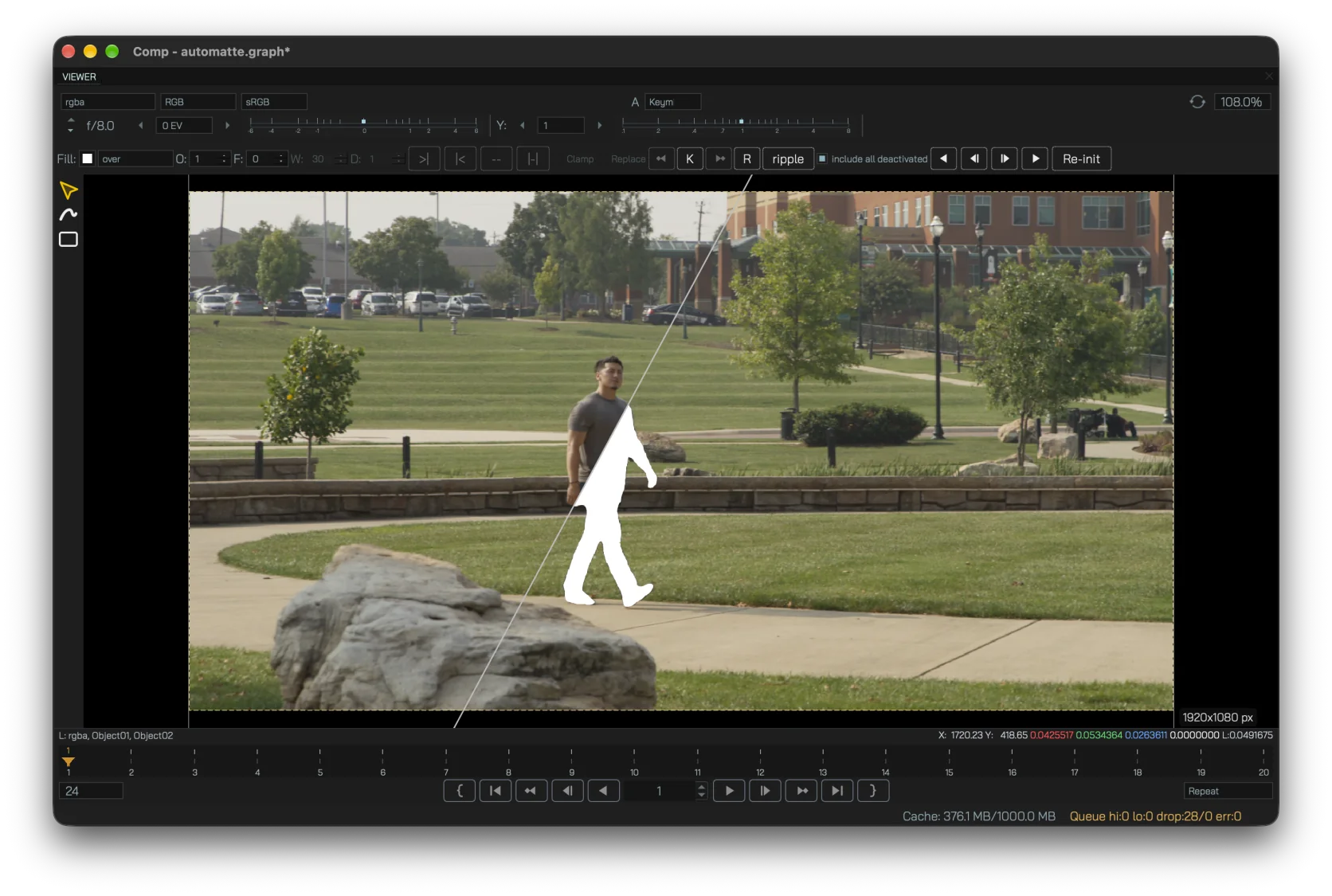
AutoMatte runs through an optional local Worker. SAM3 provides the initial prompted segmentation and MatAnyone2 refines edge detail, leaving the resulting matte inside a conventional node-based workflow.
- Prompt-box segmentation for fast subject isolation.
- Matte refinement aimed at retaining finer edge detail.
- Raster-to-shape conversion can move the result into editable RotoPaint geometry for manual cleanup.
- Local or network processing through a separate Worker component.
- Compositor remains standalone when AI is not needed.
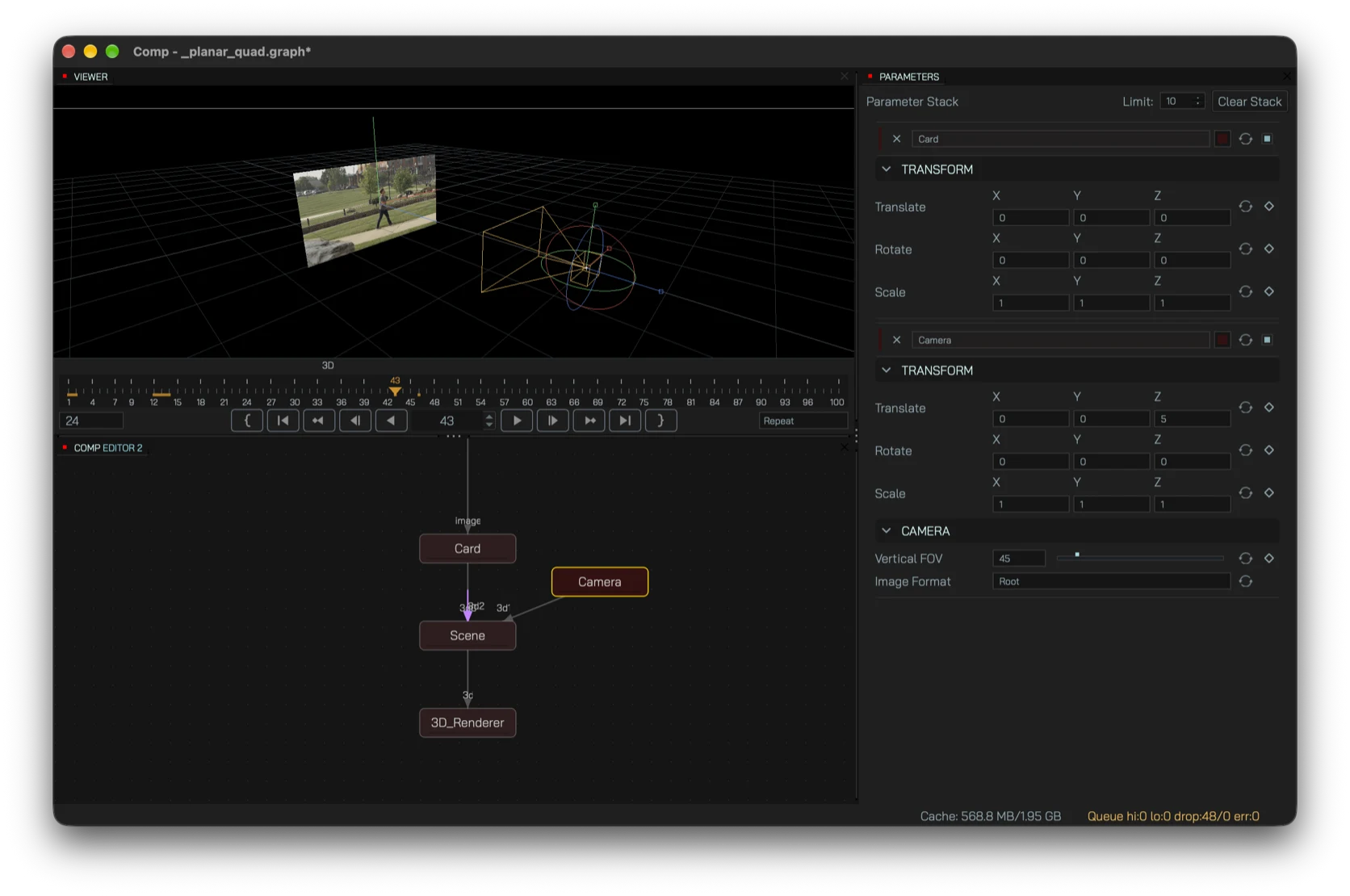
Drop 2D elements into a simple 3D scene
For shots that only need camera-based placement rather than a full DCC round-trip, Comp includes a compact 3D path inside the 2D graph.
- Camera nodes with field of view and image format.
- Card nodes for textured 2D elements in 3D space.
- Scene assembly for camera and card streams.
- 3D Renderer to return the result to the 2D comp.
- LatLongTransform for equirectangular re-projection work.
The same graph goes to final output
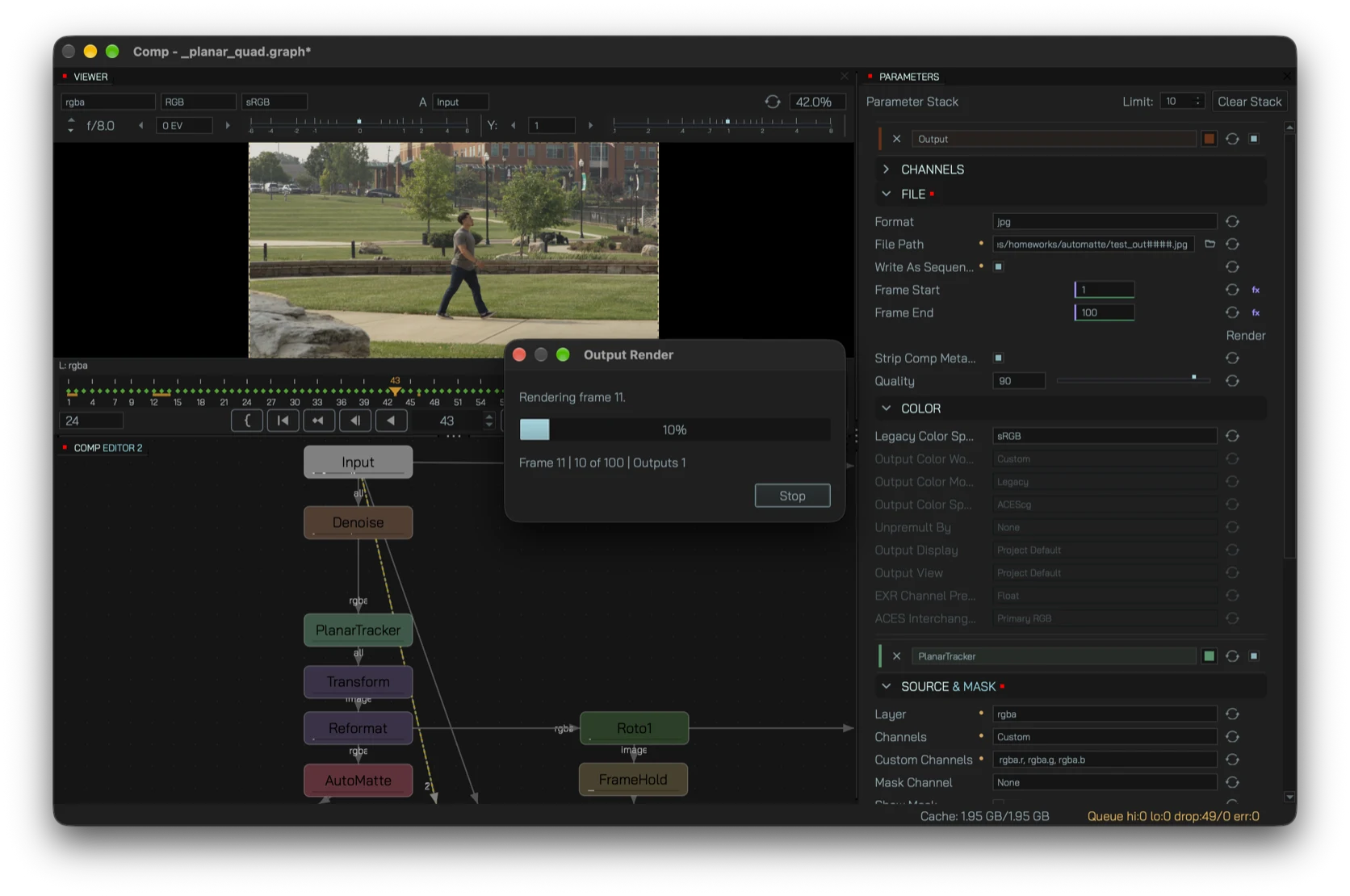
Write frames from the node graph or render a saved graph without opening the UI. The command-line path is intended for batch work and straightforward pipeline integration.
- EXR, PNG and JPG output with format-specific controls.
- Frame-range rendering with progress feedback.
- Headless command-line rendering for batch jobs.
- Missing-frame handling keeps sequence work predictable.
See the current node set
The feature page describes workflows; the node reference lists the tools that currently ship in the public build.
Try the current alpha
Comp is available for Windows x64, macOS arm64 and Linux x86_64.
Download Comp